
Sometimes you do not want customers to browse your whole store.
You already know what they want to buy. Maybe they asked about a specific product by email. Maybe you are sending a quote. Maybe you are running a small campaign for one product bundle. Maybe you want to print a QR code that opens a product offer directly.
In that situation, the ideal flow is simple:
The customer clicks a link, sees what they are buying, and pays.
That is why many Wix store owners search for things like “Wix payment link,” “Wix pay link,” “Wix checkout link,” or “direct checkout link Wix.” They are not looking for a complicated eCommerce setup. They just want a faster way to send a customer to payment.
But there is an important difference between a payment link and a checkout link.
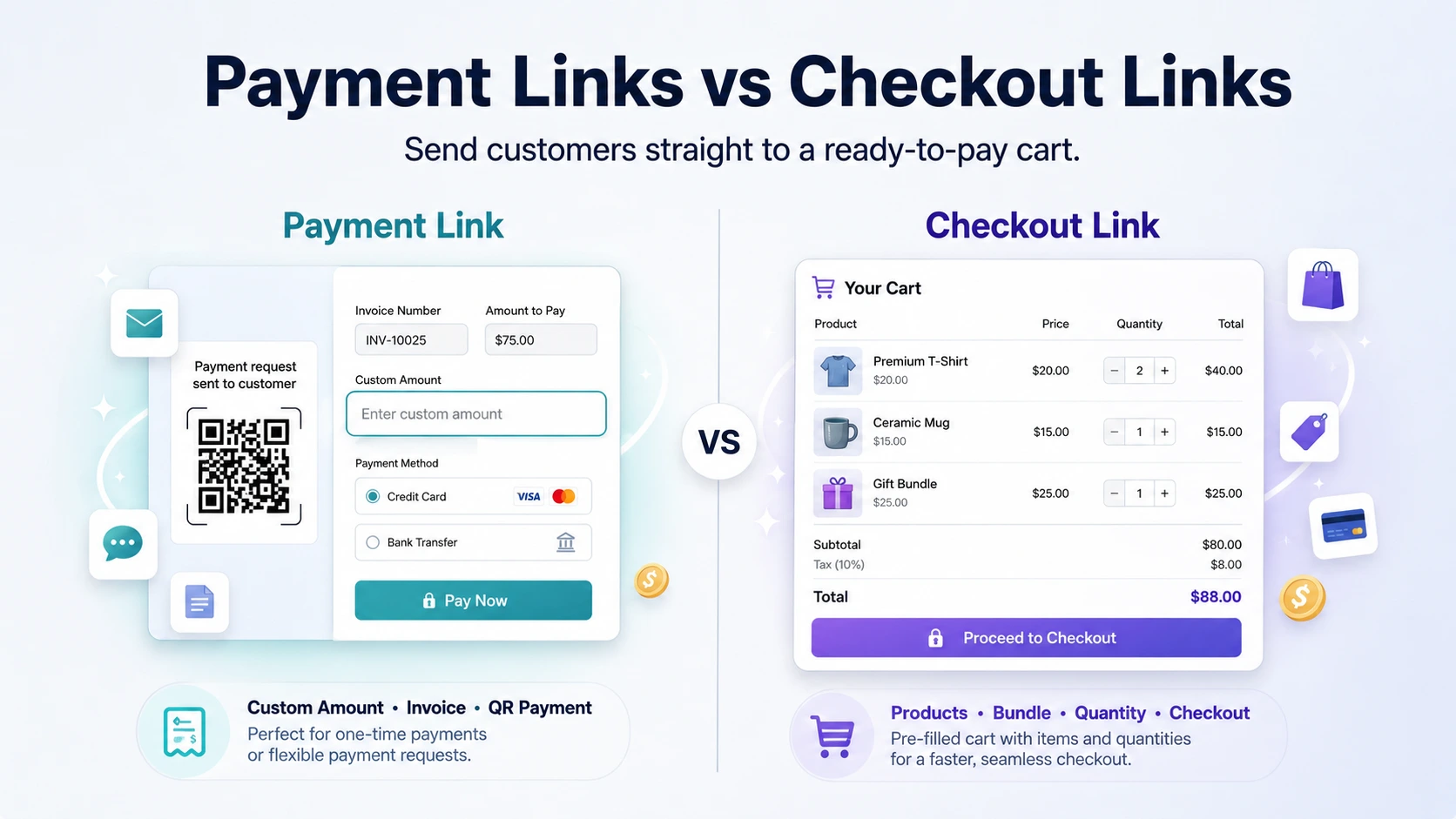
A Wix payment link is usually best when you need to collect a payment.
A checkout link is better when you want to send the customer to a ready-to-pay cart with specific store products, quantities, or offers already prepared.
Both can be useful. The right choice depends on what you are trying to sell.
What is a Wix payment link?
A Wix payment link lets you request payment through a shareable link. You can send that link to a customer by email, text message, chat, or other channels. Depending on the setup, a pay link can be used for a custom amount or for a specific catalog item.
This is useful because the customer does not need to search through your site to find a payment page. You can send them a link, and they can complete the payment from there.
For many businesses, this is enough.
For example, a service provider may use a Wix payment link to collect a deposit. A consultant may use one to charge for a one-off session. A small business may use one to collect payment for an unpaid order.
In these cases, the main goal is not to build a shopping cart. The goal is simply to collect money from a customer in a clean and secure way.
What is a checkout link?
A checkout link is different.
Instead of only asking for payment, a checkout link is built around the shopping cart. It sends the customer toward checkout with specific products, quantities, or offers already selected.
That makes it useful when you are selling real store products and want to reduce the number of steps between interest and purchase.
For example, instead of telling a customer:
“Go to our website, search for the product, add it to cart, choose the quantity, then check out.”
You can send them a direct checkout link that does most of that work for them.
The customer clicks the link and gets closer to buying right away.
That difference matters. Every extra step creates a chance for the customer to get distracted, confused, or leave the site. A checkout link helps shorten the path from “I want this” to “I paid for this.”
When a Wix payment link is enough
A Wix payment link is a good option when the payment itself is the main thing.
You probably do not need a full checkout link when you are collecting a simple custom amount, charging for a service, or handling a one-time payment that is not strongly connected to a product cart.
Common examples include:
- A one-off service payment
- A consultation fee
- A simple invoice-style payment
- An event deposit
- A custom service charge
- A balance payment for an unpaid order
- A manual payment request sent after talking with a customer
For these cases, a payment link keeps things simple. You do not need to create a full product offer. You just need a customer to pay a clear amount.
This is especially useful for businesses that sell services more than products. A photographer, coach, repair person, event organizer, or consultant may only need a clean way to collect payment from a customer after a conversation.
In that case, a Wix pay link is usually the right tool.
When you need a checkout link instead
A checkout link becomes more useful when the product details matter.
If the customer is buying a specific product, bundle, package, or repeat order, you usually want more than a basic payment request. You want the cart to already know what the customer is buying.
This is where a Wix checkout link or Wix cart link can be stronger.
A checkout link is helpful when you want to:
- Send a “buy this exact product” email campaign
- Create a direct link for a product bundle
- Send repeat B2B orders to returning customers
- Sell wholesale packages with fixed quantities
- Create a QR checkout link for a specific product
- Give influencers or partners a direct product offer link
- Help customer support send a customer directly to the right item
- Promote a seasonal offer with selected products already loaded
- Reduce the steps between product interest and checkout
Imagine a customer messages you and says:
“Can I buy the same package I ordered last month?”
Without a checkout link, you may need to explain where to go, what to choose, and which quantity to select.
With a checkout link, you can send one link that opens the right purchase flow immediately.
That is the real value. It is not just about having a link. It is about having a link that already understands the offer.
Real examples by business type
Different businesses can use payment links and checkout links in different ways. The easiest way to understand the difference is through real examples.
Dog groomer
A dog groomer may use a payment link to collect a deposit for an appointment.
But if the groomer sells fixed grooming packages, products, or add-ons, a checkout link can be useful too. For example, they could send a customer a link to buy a grooming package, shampoo, brush, or care bundle directly.
A payment link collects money.
A checkout link helps sell a prepared package.
Winery
A winery may want to send customers a direct link to a 6-bottle bundle.
A normal payment link could collect the payment, but a checkout link is better if the customer needs to see the actual products, quantities, and offer before buying.
For example:
“Here is our summer tasting box.”
The customer clicks, sees the bundle, and checks out.
That is much better than asking them to search the store manually.
Bakery
A bakery might run seasonal offers like holiday boxes, birthday bundles, or weekend specials.
Instead of sending customers to the homepage, the bakery can send a pre-filled checkout link for a specific box.
For example:
“Order this Friday dessert box.”
The link can take the customer closer to checkout with that box already selected.
This is useful for email campaigns, WhatsApp messages, Instagram DMs, and printed QR codes.
B2B supplier
A B2B supplier may have customers who order the same products again and again.
In that case, a checkout link can save a lot of time.
Instead of rebuilding the same order manually every month, the supplier can send a repeat order link with the same products and quantities prepared.
That makes the buying process easier for the customer and reduces back-and-forth messages.
Event seller
If you sell products at events, markets, pop-ups, or trade shows, QR checkout links can be very useful.
A customer scans a QR code and goes straight to the relevant product or bundle.
This can work well for:
- Product samples
- Limited event offers
- Merch bundles
- Workshop kits
- Pre-order items
- Special discounts
The customer does not need to search your website while standing at a booth. The link does the work.
Payment link vs checkout link comparison
| Use case | Payment link | Checkout link |
|---|---|---|
| Collect a custom amount | Yes | Not the main use |
| Charge for a service | Yes | Sometimes |
| Sell specific store products | Limited | Yes |
| Pre-fill products or quantities | No / limited | Yes |
| Send offers by email | Yes | Yes |
| Create a QR code for a product bundle | Basic | Strong |
| Support repeat orders | Basic | Strong |
| Send customers to a ready-to-pay cart | Limited | Yes |
| Reduce product selection steps | Limited | Yes |
The simple version is this:
Use a payment link when the amount matters most.
Use a checkout link when the product selection matters most.
How Checkout Links helps Wix store owners
Checkout Links was built for Wix merchants who want to create direct purchase links for specific products, offers, bundles, and repeat orders without forcing customers to browse the whole store first.
It is useful when you already know what you want the customer to buy and you want to make the path to checkout shorter.
Instead of saying:
“Go to our store and find this product.”
You can say:
“Here is the direct link.”
That small change can make a big difference, especially when you are selling through email, WhatsApp, customer support, QR codes, invoices, quotes, or direct messages.
Checkout Links can help with use cases like:
- Sending a Wix product link by email
- Creating a pre-filled checkout link
- Building a Wix cart link for a product bundle
- Creating direct checkout links for repeat customers
- Sharing product-specific offers by QR code
- Sending customers to a faster checkout flow
This is especially helpful for store owners who sell outside the normal website browsing experience.
Many sales do not start on the homepage. They start in a message, an email, a phone call, a social media conversation, or a real-life interaction. Checkout links help connect those moments directly to purchase.
Which one should you use?
If you only need to collect money, use a Wix payment link.
That is usually the simplest option for custom payments, deposits, invoices, service fees, or manual payment requests.
If you want to sell specific Wix store products faster, use a checkout link.
That is usually better for product bundles, email offers, repeat orders, QR codes, customer support links, and direct product campaigns.
The difference is simple:
A payment link says, “Pay this amount.”
A checkout link says, “Buy this product or offer.”
Both are useful. But they solve different problems.
Final recommendation
Start with the customer journey.
If the customer already knows the amount they need to pay, a payment link is probably enough.
If the customer needs to buy specific products, quantities, or bundles, a checkout link gives them a clearer and faster path.
For Wix store owners, checkout links are especially useful when you want to sell products outside the normal store browsing flow. They help you turn emails, quotes, QR codes, repeat orders, and direct messages into ready-to-buy moments.
Create your first pre-filled checkout link for your Wix store
Send customers directly to a ready-to-pay cart with selected products, quantities, and offers.
Checkout Links helps Wix merchants create direct purchase links for product offers, bundles, repeat orders, and faster customer checkout.