
Running an online store should be simple: a customer sees a product, decides they want it, clicks a link, pays, and receives their order. That is the ideal version.
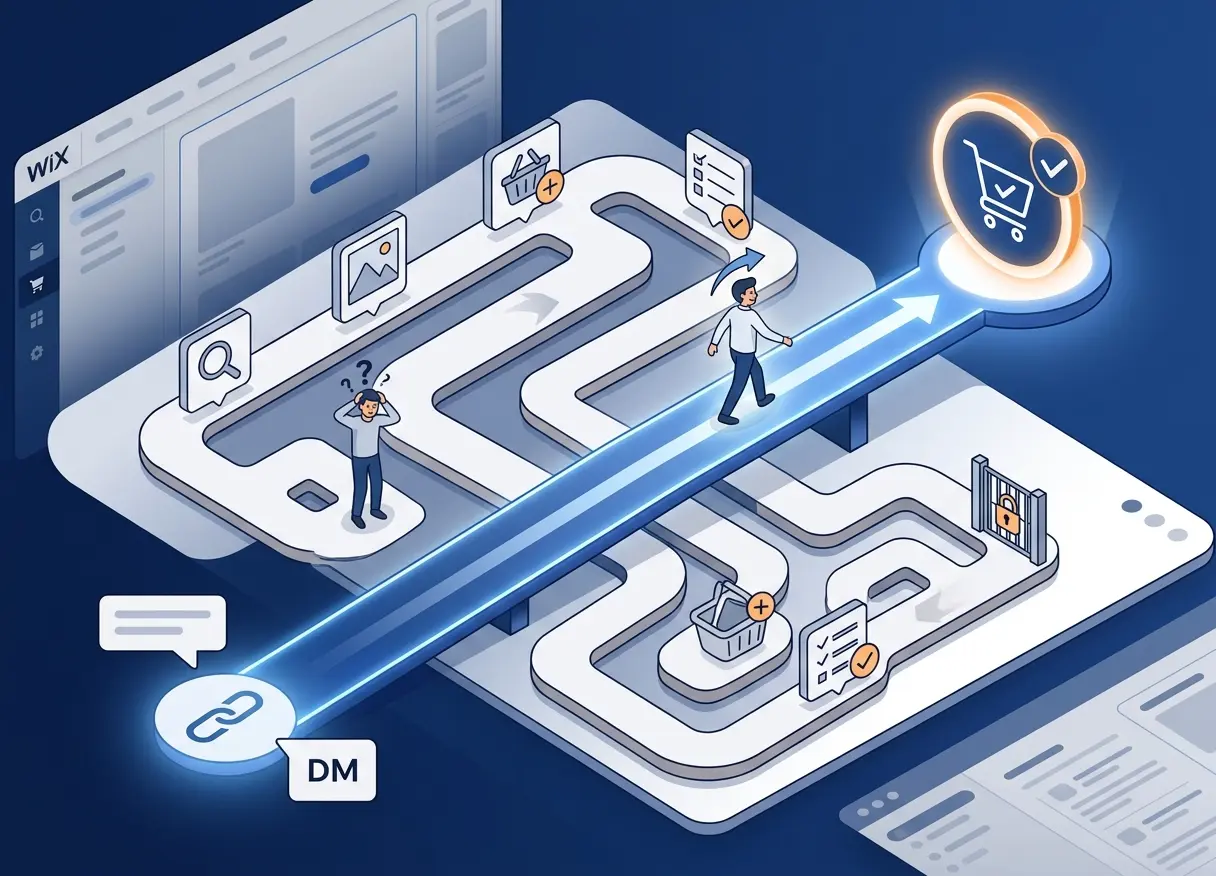
In reality, many checkout flows are longer than they need to be. A customer lands on a product page, adds the item to the cart, opens the cart, reviews the order, then finally moves to checkout. That flow works when someone is browsing a store normally, but it is not always the best path when a customer already knows what they want.
Every extra step creates friction. The customer might get distracted, compare other products, leave the page, delay the purchase, or decide to “come back later.” Store owners know how often “later” becomes never.
That is the core reason we built Checkout Links for Wix: to give Wix store owners a faster way to send customers directly to checkout with the right products already prepared.
The Problem With the Standard Store Flow
Most e-commerce stores are built around a familiar path:
- Product page
- Cart
- Checkout
- Payment
There is nothing wrong with this flow. It makes sense when someone is exploring your store, comparing products, reading descriptions, or adding multiple items to their cart.
But not every sale starts with browsing.
Sometimes a customer messages you on Instagram and asks about one specific product. Sometimes you are sending a WhatsApp offer to a group of returning customers. Sometimes you are running an email campaign for a limited-time deal. Sometimes you want to print a QR code on a flyer, package insert, event sign, or business card.
In those cases, sending people to the normal product page can be unnecessary. The customer is already interested. The offer is already clear. What they need is a direct path to checkout.
That is where checkout links become useful.
What a Checkout Link Does
A checkout link sends the customer directly to checkout with specific products already selected. Instead of asking the customer to find the product, add it to cart, and then continue to payment, you give them a direct buying link.
This is useful because it turns a general store experience into a focused purchase experience.
For example, instead of saying:
“Go to our website, find this product, add it to cart, and checkout.”
You can say:
“Here is the direct checkout link.”
That may sound like a small difference, but for online sales, small differences matter. Fewer steps usually means less confusion, fewer distractions, and a better chance that the customer completes the order.
Where Direct Checkout Links Are Useful
Checkout links are especially helpful when the sale starts outside the store itself.
A lot of online selling now happens through channels like Instagram, TikTok, WhatsApp, email, communities, influencer posts, and offline QR codes. In those situations, the store is not always the starting point. The conversation, campaign, or promotion is the starting point.
A direct checkout link fits naturally into these flows. You can use it in social media campaigns, customer support messages, email promotions, influencer campaigns, QR codes, limited-time offers, custom bundles, repeat orders, and direct sales conversations.
For many small businesses, this is very practical. A store owner can create a specific offer once, generate the link, and reuse it wherever they speak to customers.
Why We Built It for Wix
Wix is a strong platform for small businesses, creators, and independent store owners. It allows people to build a professional website and manage an online store without needing a custom development team.
But while working with Wix stores, we saw a simple gap: store owners needed an easier way to create and manage direct checkout links.
They did not need a huge marketing system. They did not need a complicated funnel builder. They did not need another bloated dashboard with dozens of features.
They needed a practical tool that does one job clearly: create checkout links for specific products and make those links easy to use.
That is why we built Checkout Links for Wix.
Built Around a Practical Use Case
At Baseplate Digital, our goal is to build simple tools that solve real business problems. Checkout Links was built with that mindset.
The app allows Wix store owners to create checkout links for specific products, quantities, and offers. Once the link is created, it can be shared anywhere: in a message, an email, a landing page, a campaign, a QR code, or a social media post.
The goal is not to replace the normal store experience. Customers can still browse your store, view products, and use the cart as usual.
The goal is to give store owners another option when they need a faster and more focused checkout path.
A Simple Example
Imagine you sell handmade jewelry.
A customer sees a necklace on your Instagram story and sends you a message:
“Hi, is this silver necklace still available?”
Without a checkout link, you might send them to your store and explain where to find the product. They click the site, search for the necklace, open the product page, add it to cart, and continue to checkout.
That process is fine, but it adds work for the customer.
With a checkout link, you can reply with something like:
“Yes, it's available. Here's the direct checkout link.”
The customer clicks, sees the product ready at checkout, and completes the order.
That is a cleaner experience for the customer and less manual work for the store owner.
Why This Matters for Small Stores
Small store owners often handle everything themselves: products, orders, marketing, customer messages, design, shipping, and support. They do not always have time to build complex sales systems or custom checkout flows.
A tool like Checkout Links gives them a simple way to sell faster without changing their entire store setup.
It is useful because it fits into the way small businesses already work. Many store owners already talk to customers directly. They already send links in messages. They already run small campaigns through social media, email, or WhatsApp.
Checkout Links simply makes those links more effective.
Instead of sending customers back into the full browsing flow, the store owner can send them straight to the buying step.
Less Friction, More Completed Orders
Not every abandoned checkout happens because the customer changed their mind. Sometimes the process simply has too many steps.
The customer may still want the product, but the timing is fragile. They are on their phone. They are busy. They are moving between apps. They clicked from a message, not from a planned shopping session.
In those moments, a shorter flow helps.
Direct checkout links are not magic, and they do not replace good products, clear pricing, strong photos, or trust. But they do remove one common problem: making an interested customer work too hard to buy.
That is the real value.
Final Thoughts
We built Checkout Links for Wix because many store owners need a faster way to turn customer interest into completed orders.
The normal product page and cart flow still has its place. It is useful for browsing and discovery. But when a customer already knows what they want, or when you are promoting a specific offer, a direct checkout link is often the better path.
It keeps the experience simple: click the link, review the checkout, and buy.
For Wix store owners, that can make social selling, email campaigns, WhatsApp offers, QR codes, and direct customer conversations much easier to manage.
That is exactly the kind of tool we want to build at Baseplate Digital: focused, practical, and useful for real online businesses.