How to use KPI Watch
KPIs from your monday.com boards, with history and automations when a number goes off target.
Before you start
- A monday.com account where you're a member or admin. Viewers and guests can see KPIs but not create them.
- A board with the numbers you care about: a Numbers, Formula, Mirror or Rating column to add up or average, and Status, Dropdown or Date columns to filter by. To count items, any board works.
1. Add KPI Watch to a board and connect (1 minute)
- Install KPI Watch from the monday.com app marketplace.
- Open any board, click + next to the board's views, choose Apps and pick KPI Watch.
- Click Connect and approve. KPI Watch recalculates your KPIs on a schedule with your own permissions, so it only ever reads boards you can see. It keeps the resulting numbers, never your items.
2. Create a KPI
Click New metric. The quickest way is to describe it in a sentence, like "Win rate: won deals divided by won plus lost deals, target 40%", and click Draft with AI. The draft uses the real columns and labels of your board. Check it, then save.
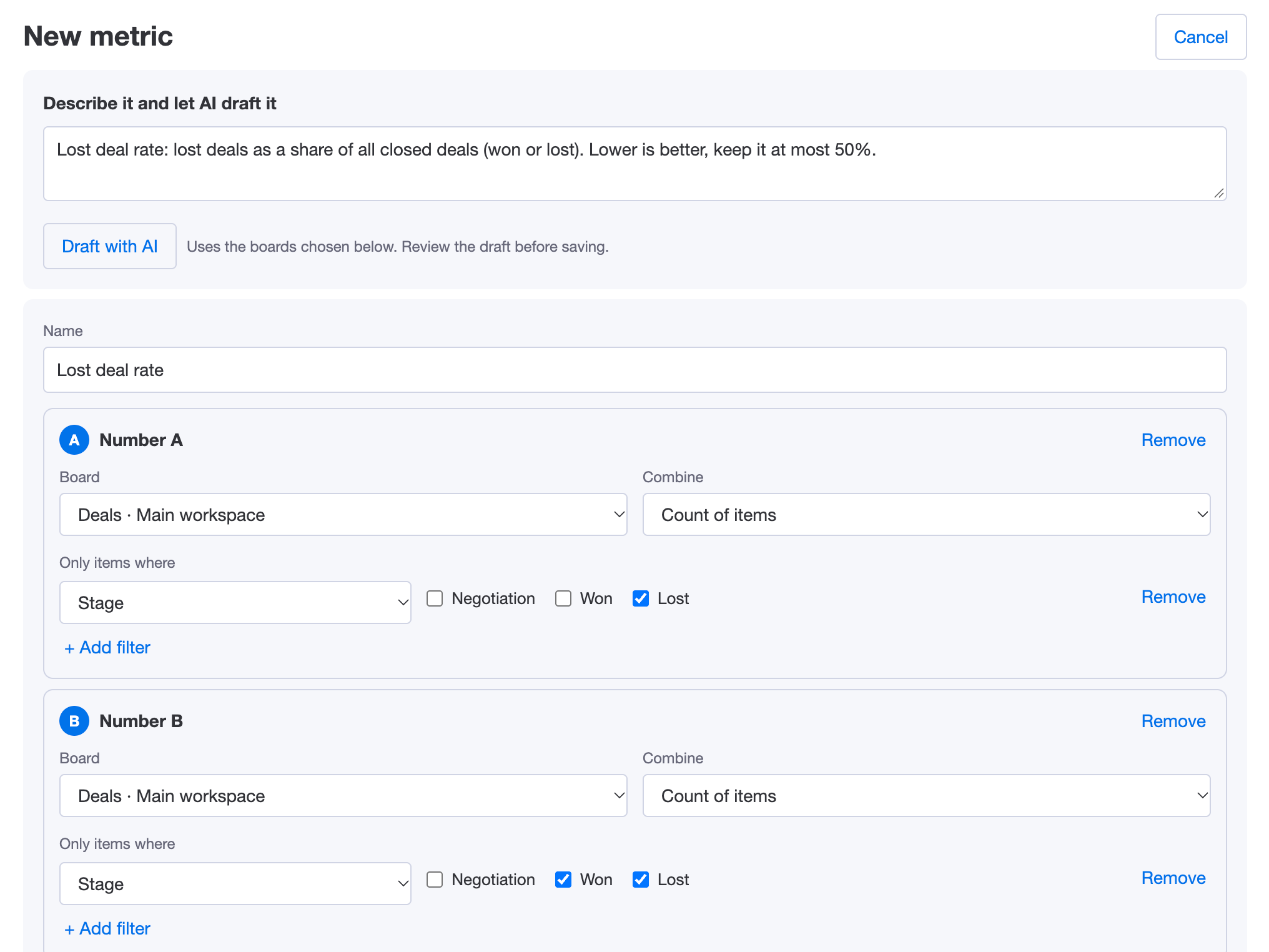
Or build it by hand:
- Number A, B, C… each combine the items of one board: the sum, average, lowest or highest of a column, or a count of items. Filter by status labels, dropdown values, a group, or a date range such as this month or this quarter.
- Formula combines the numbers, for example
A / B * 100for a percentage. Numbers can come from different boards. - Target and Good when the value is (at least or at most) decide when the KPI is on or off target.
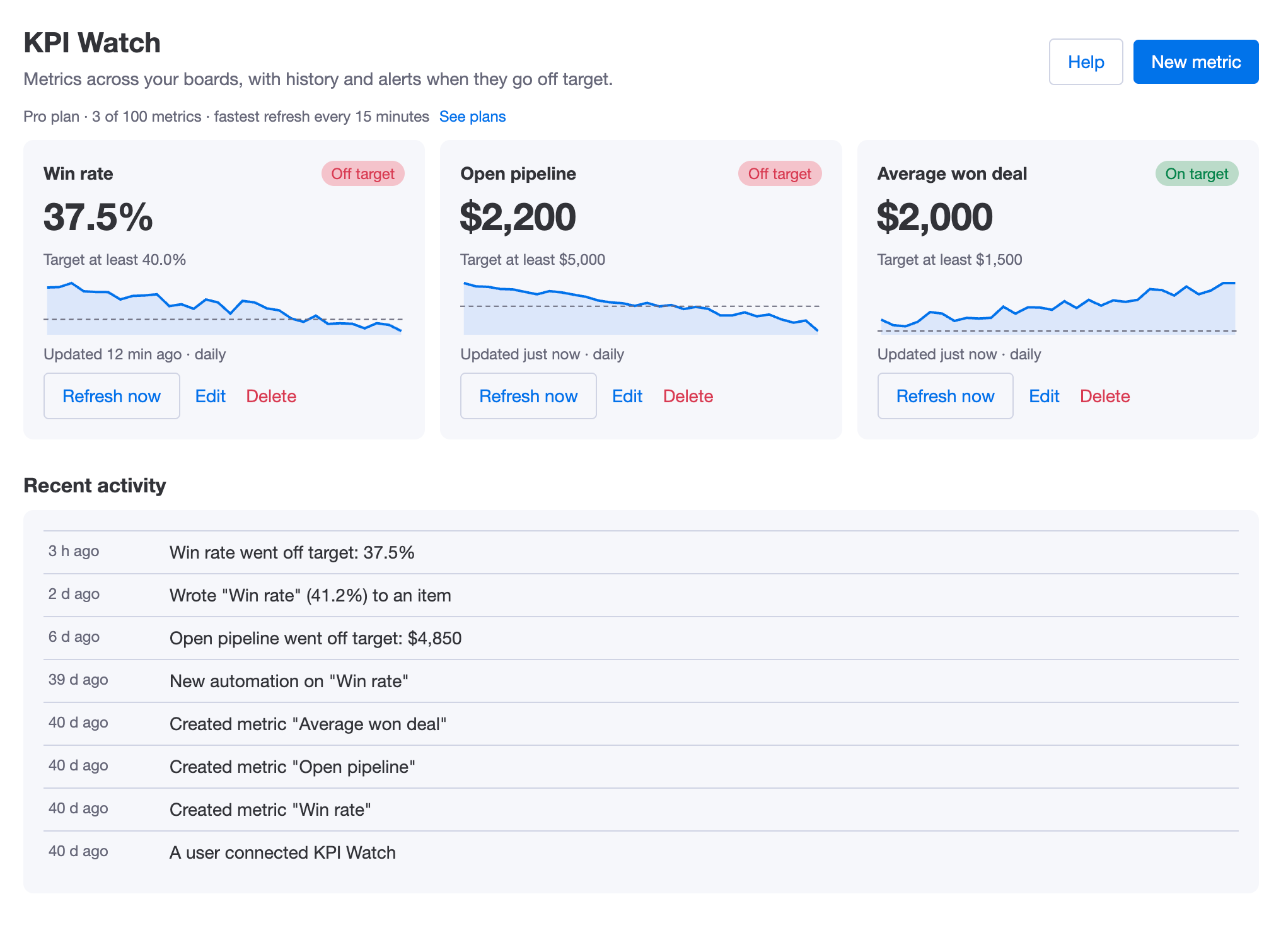
- Refresh: daily, hourly or every 15 minutes, depending on your plan. Refresh now recalculates any time.
3. Get alerted when a KPI goes off target
- On any board, click Automate, create an automation and search for KPI.
- Pick When a KPI goes off target, choose the KPI, and whether it fires when it goes off target, gets back on target, or both.
- Add any action: notify the team, create an item, send an email. The KPI's name, value, target and state can be used in the message.
To keep a KPI on your items, use the Write a KPI to a column action, for example "When Stage changes to Won, write Win rate to Win rate at close". It recalculates first, so the value includes the change that started the automation.

4. Put KPIs on a dashboard
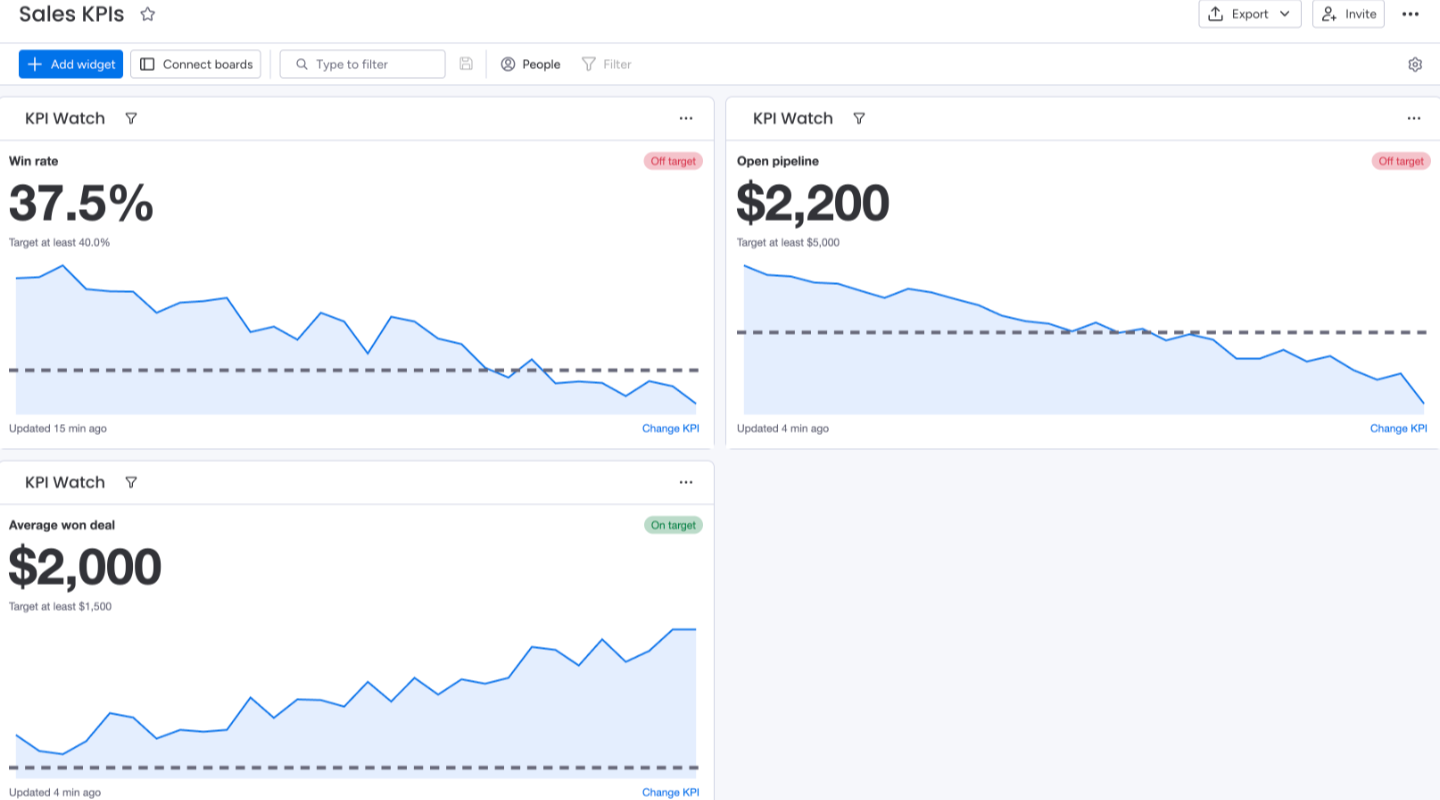
On a dashboard, click Add widget, then Apps, and add KPI Watch. Pick a KPI and it shows the value, target, state and trend. Add one widget per KPI.
Ask monday sidekick
With KPI Watch installed, monday sidekick can answer "What's our win rate?" or "Which KPIs are off target?" from the same numbers.
Plans
- Free: 3 KPIs, refreshed daily, 30 days of history.
- Starter: 20 KPIs, refreshed every hour, 90 days of history.
- Pro: 100 KPIs, refreshed every 15 minutes, a year of history.
Automations, the dashboard widget and AI drafts are on every plan. Upgrade from KPI Watch's See plans link or in monday.com (Administration → Apps → KPI Watch).
Need help?
Email hello@baseplatedigital.com with your account name and the KPI you're building. We usually reply within one business day.