
How to use Boardfeed
Wix forms, orders and contacts on your monday.com boards, and Wix updated from monday.com.
See it in 2 minutes
Before you start
- A Wix site where you can install apps (you're its owner or have admin rights).
- A monday.com account where you're a member or admin. Viewers and guests can't add automations.
- For orders: Wix Stores or another Wix eCommerce app. For forms: Wix Forms. Contacts work on every site.
1. Install and connect (about 3 minutes)
- Install Boardfeed on monday.com from the app marketplace.
- Install Boardfeed on your Wix site from the Wix App Market.
- In your Wix dashboard, open Apps → Boardfeed and click Connect monday.com. Approve the connection on monday.com. You're sent back to monday.com when it's done.
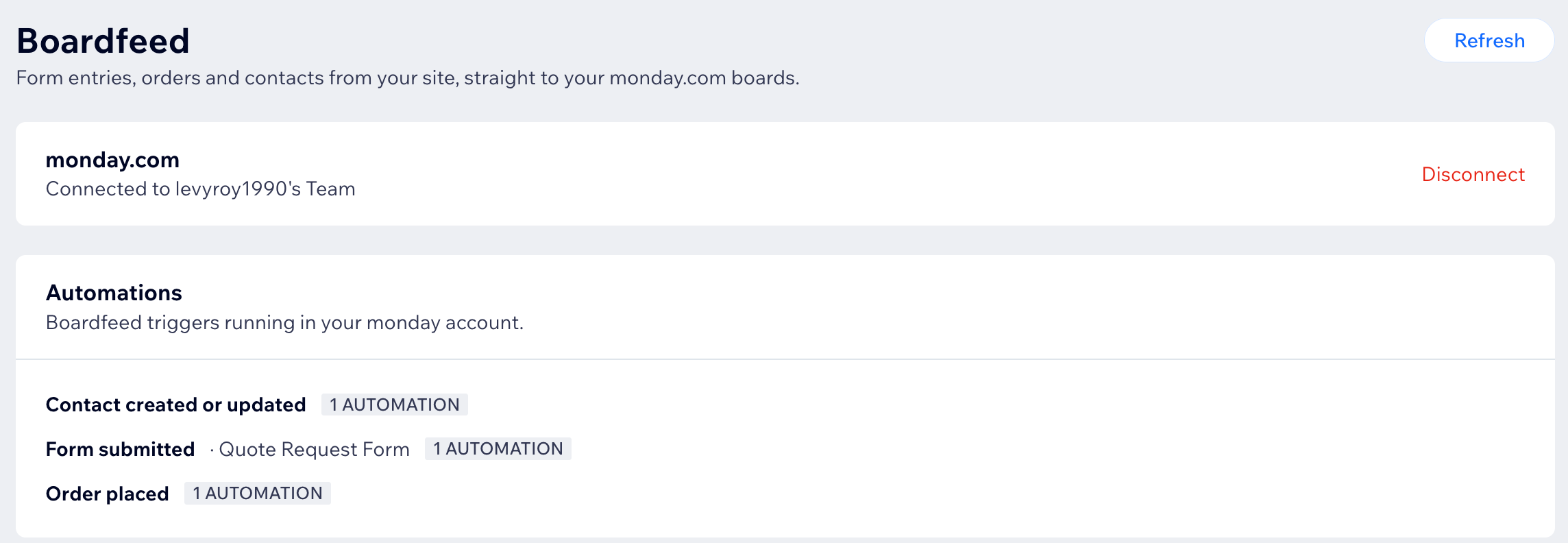
One monday.com account can connect several Wix sites (on the Business plan). Each Wix site connects to one monday.com account.
2. Send Wix events to a board
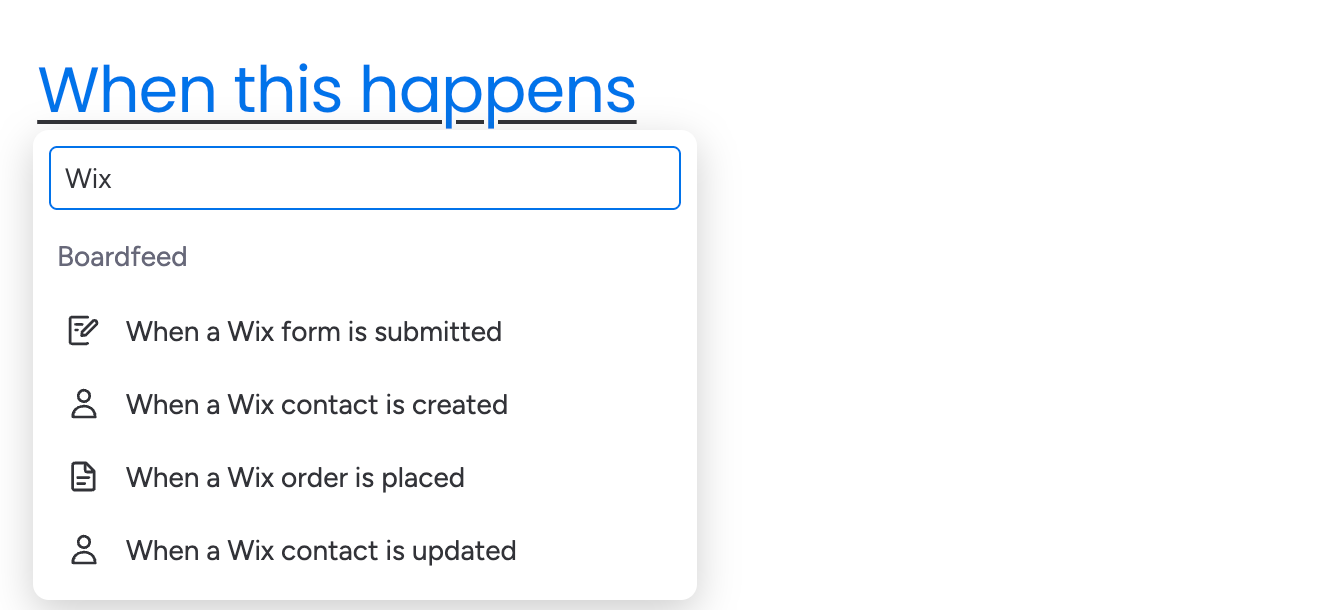
- Open a board, click Automate (or open Workflows) and search for Wix.
- Pick a trigger: a form is submitted, an order is placed, a contact is created, or a contact is updated. Choose your site (and the form, for form triggers).
- Add monday.com's Create item step and map the fields you want, such as "Submission's email" into an Email column, or "Order's total" into a Numbers column.
AI triage: every form submission also comes with AI summary, AI intent (Sales lead, Support request, Booking request, Job application, Spam or Other) and AI priority (High, Medium or Low). Map them into columns to sort leads, flag urgent requests or filter out spam. They're suggestions, so a person should still check anything important.
"Contact is updated" only fires when the contact's own details change, such as name, email, phone or labels. A new form entry or order doesn't count as a change.
3. Update Wix from monday.com (Pro and Business)
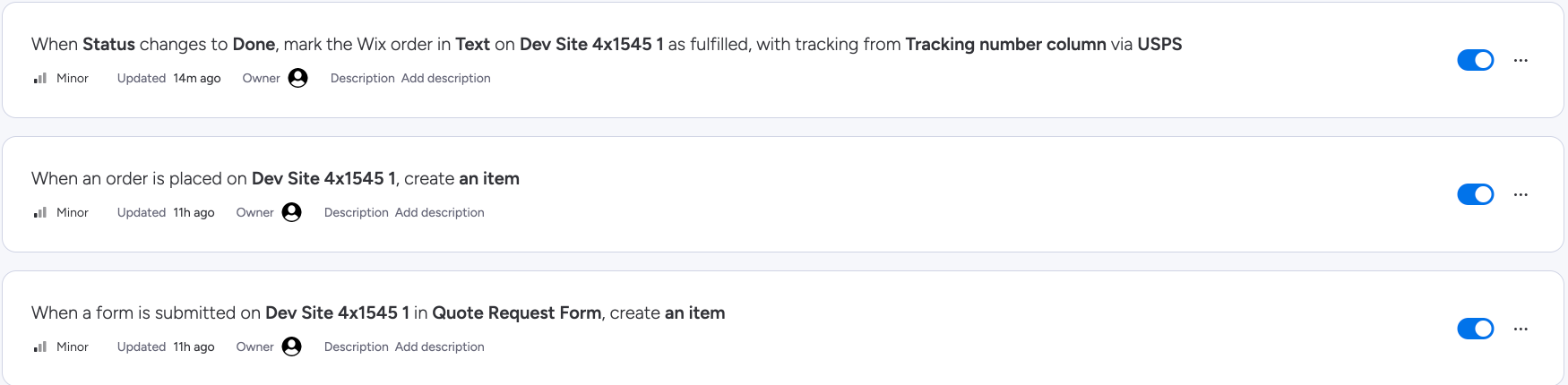
- Mark a Wix order fulfilled. For example: "When Status changes to Shipped, mark the Wix order in Order number as fulfilled, with tracking from Tracking number via USPS". Pick the columns that hold the order number and tracking number. Running it twice never fulfills an order twice; it only updates the tracking.
- Add a label to a Wix contact. Pick the column that holds the contact's email and one of your site's contact labels. To add a new label, create it in Wix first (Contacts → Labels).
4. Check what happened
Open Boardfeed's settings in monday.com (Administration → Apps → Boardfeed → Settings, or the Settings tab of the app's marketplace page). It shows your plan and usage, your connected sites and automations, and every event from the last 7 days.
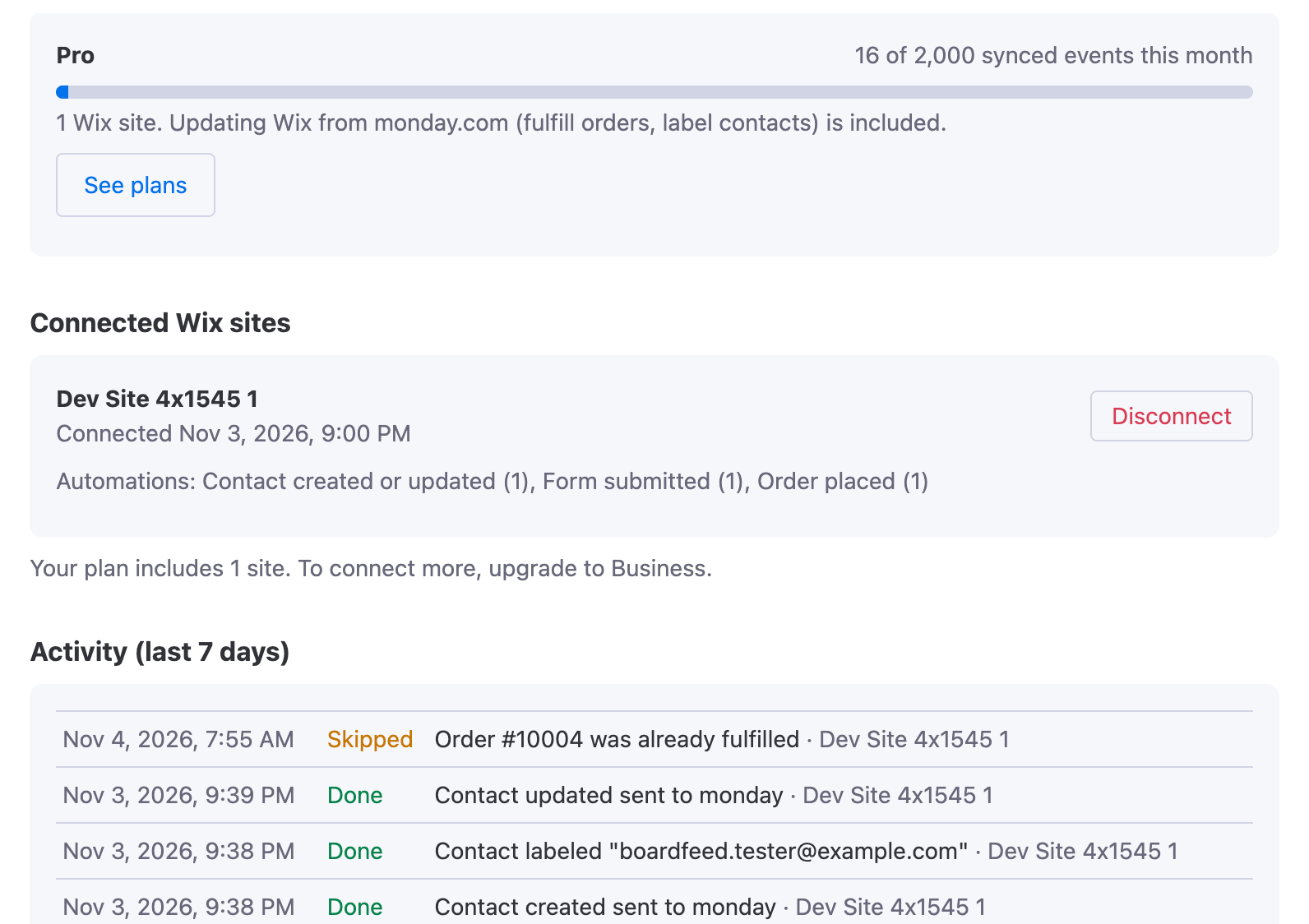
- On hold: your plan's monthly limit was reached. Held events are kept for 7 days and sent as soon as there's room, right after an upgrade or when the month starts.
- Skipped: nothing needed to change, for example an order that was already fulfilled.
- Failed: the reason is shown next to it. A failed action also appears in the automation's run history in monday.com.
Plans
- Free: 1 site, 50 synced events a month, Wix → monday.com.
- Pro: 1 site, 2,000 events a month, plus the monday.com → Wix actions.
- Business: 5 sites, 10,000 events a month.
Buy a plan in monday.com (Administration → Apps → Boardfeed) or in your Wix dashboard (Apps → Boardfeed → Upgrade). One plan covers both sides, so you only pay once: Boardfeed uses whichever plan is higher.
Need help?
Email hello@baseplatedigital.com with your site name and what you expected to happen. We usually reply within one business day.